Free 14-day trial — use code IRIS-UCQ3UK

Booked Desk

Morning appointments on your calendar

She offers two open times and puts the one they pick on the board you already run. Night Desk skips this. Tonight’s emergency is still a text to the tech who covers that trade — not a calendar slot.

Pick one

Most shops

Jobber or Housecall Pro

After you pay: Schedule → Job board → Connect. She uses Desk → Schedule for hours, appointment length, and how many jobs can start at once. Visits land unassigned so you place the truck. One-person Housecall: Schedule → Job board → assign booked jobs to me.
No Jobber / Housecall

Google, Outlook, or Apple

Cal.com sits in the middle. One event named iris-job. Length matches Desk → Schedule → Appointment length. Steps below. After you pay, paste the username on Schedule → Job board — not Account.

After you pay, paste the Cal.com username on Schedule → Job board and save. It is not under Account.

Open Cal.comFree account. Shop email.
How to set up Cal.com
  1. 1Free Cal.com account

    Sign up with the shop email. Username is the shop (acme-hvac), never answerwithiris. Under Apps, connect the calendar you already use — Google, Outlook, Apple, or another Cal.com lists. Iris writes morning times onto that calendar so the slot is busy.

  2. 2One event type

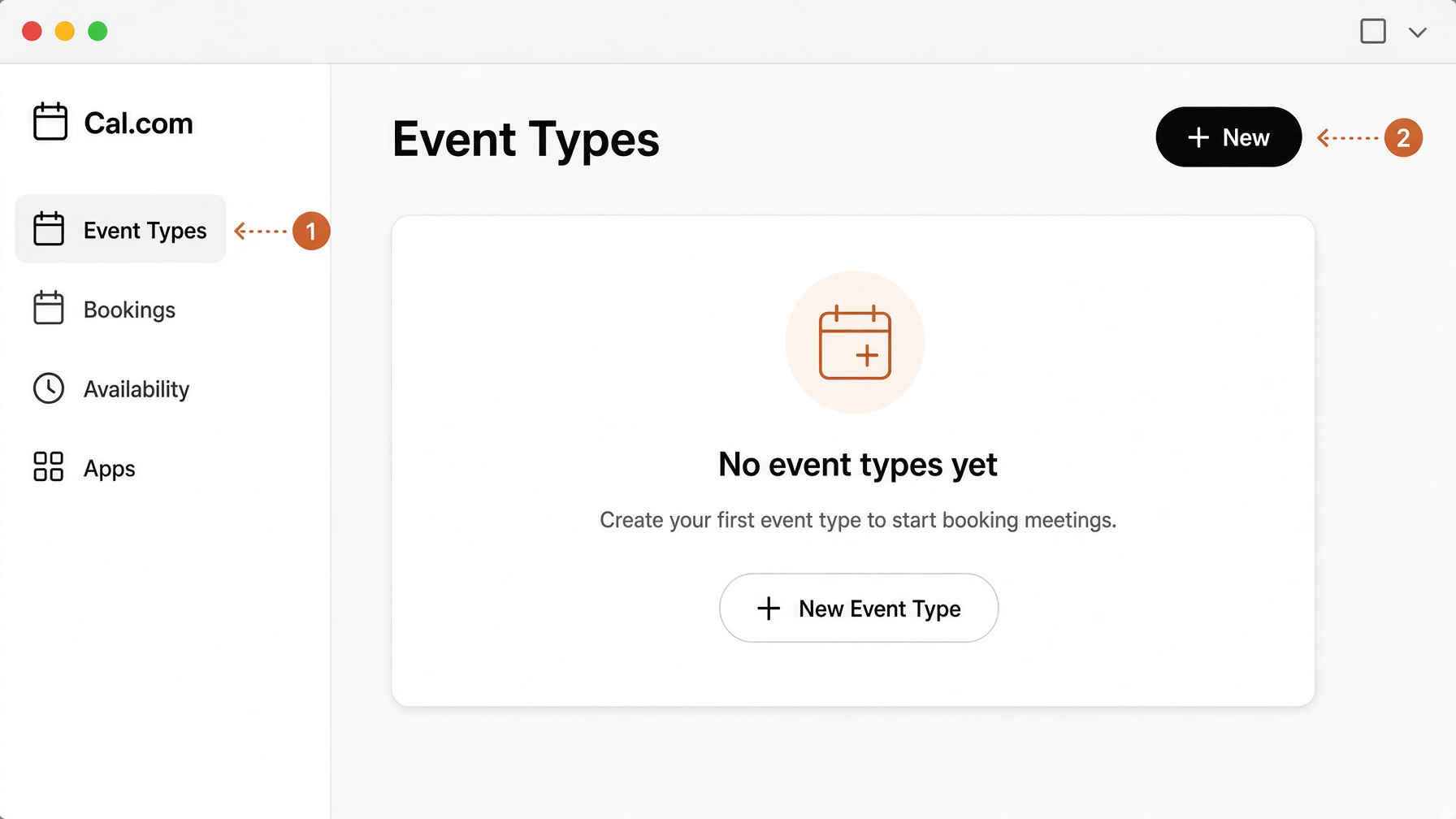
    Sidebar: Event Types. Top right: + New. Personal event. One type only — extra types confuse her.

    Cal.com Event Types. Sidebar Event Types, then New.
  3. 3Company name + iris-job

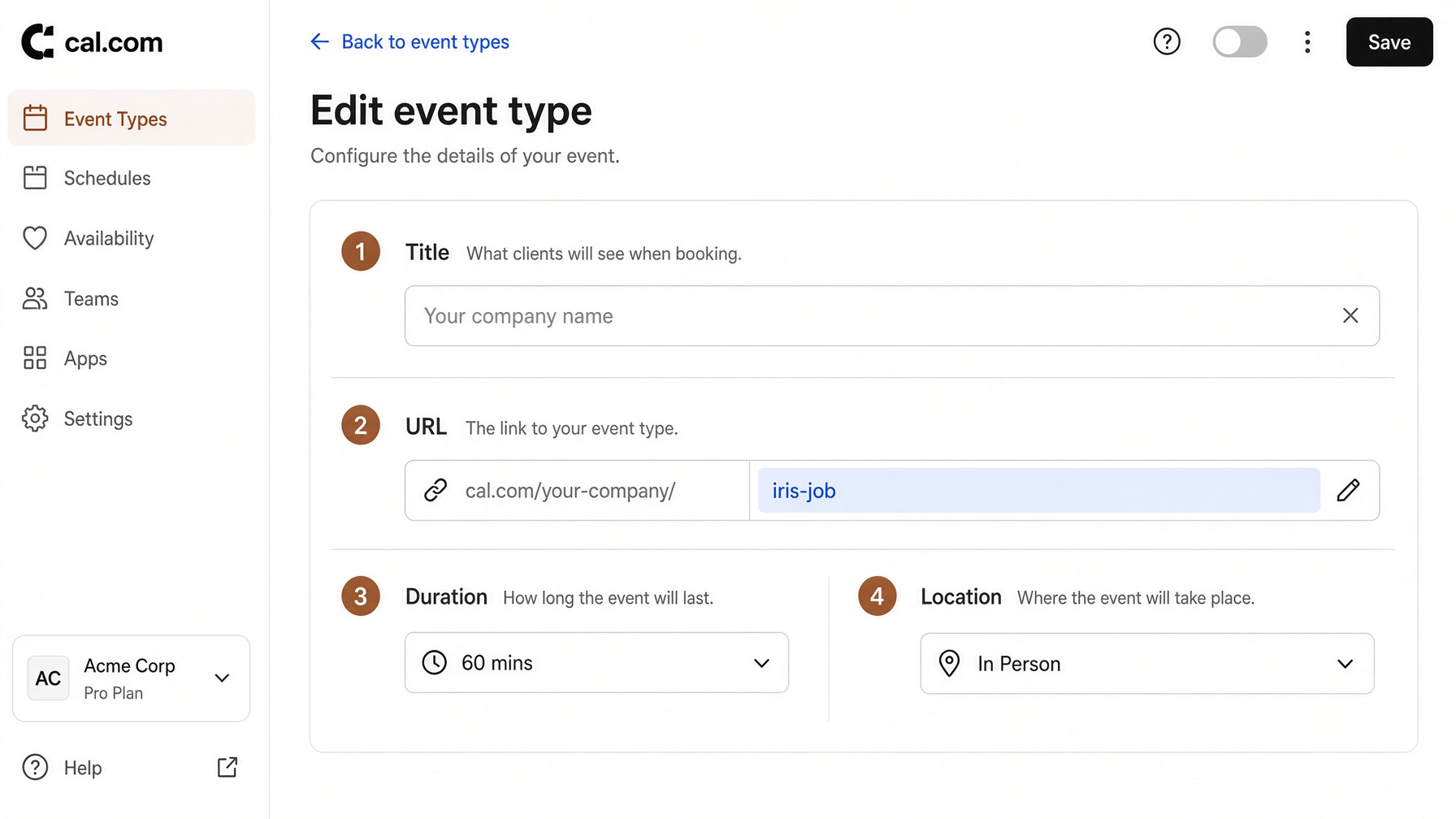
    Title = the name on the truck. URL / link = iris-job exactly. Length must match Desk → Schedule → Appointment length (default 60 minutes). Location In Person. If the slug is anything else she cannot book.

    URL slugiris-job

    Event form: company name, iris-job URL, length matching Schedule Appointment length, In Person.
  4. 4Hours that match the shop

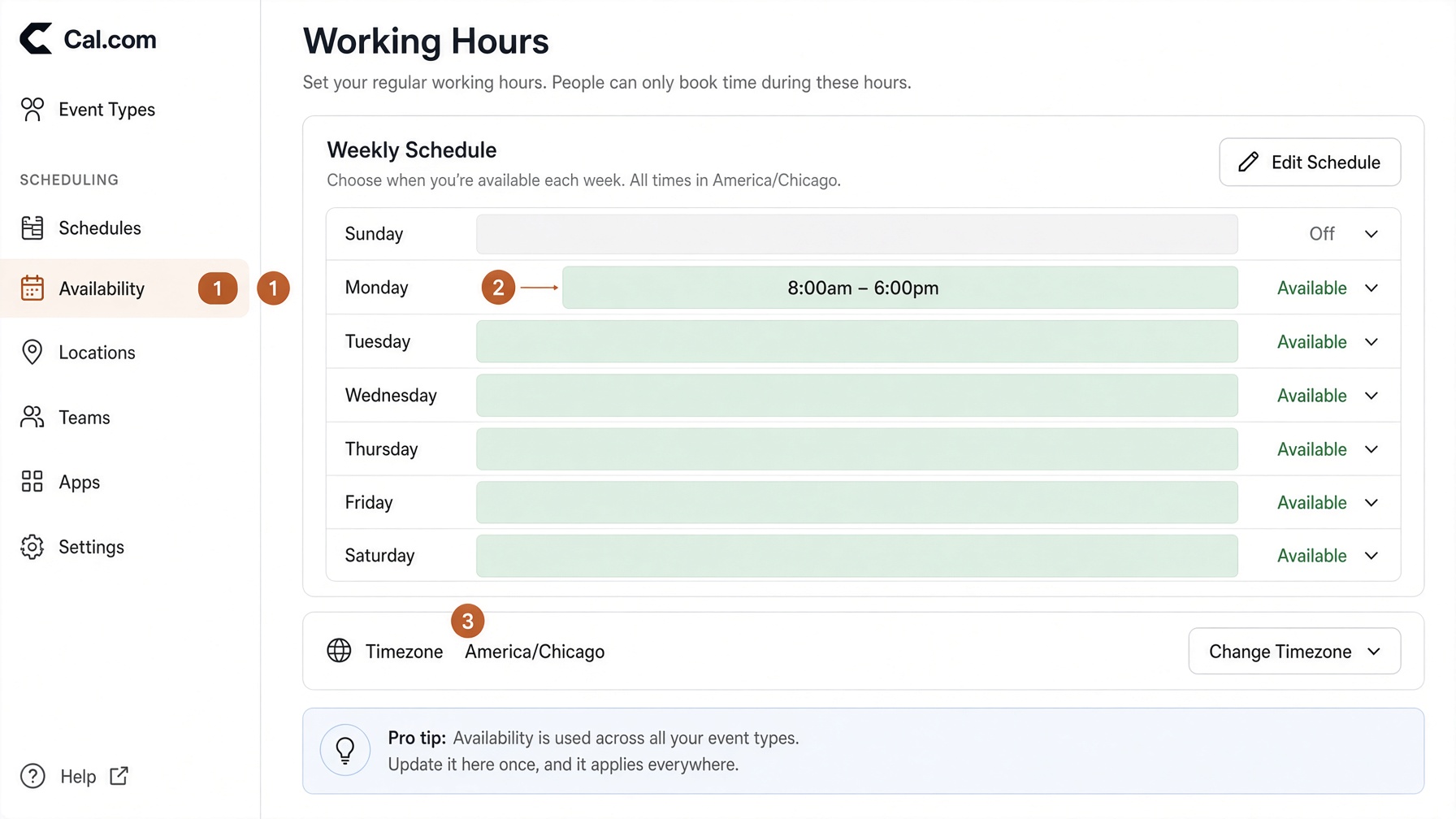
    Sidebar: Availability. Days and times a truck can actually roll. Time zone = this shop. She only offers what is open here.

    Working hours: Availability, day boxes, time zone.
  5. 5Clean title on the calendar

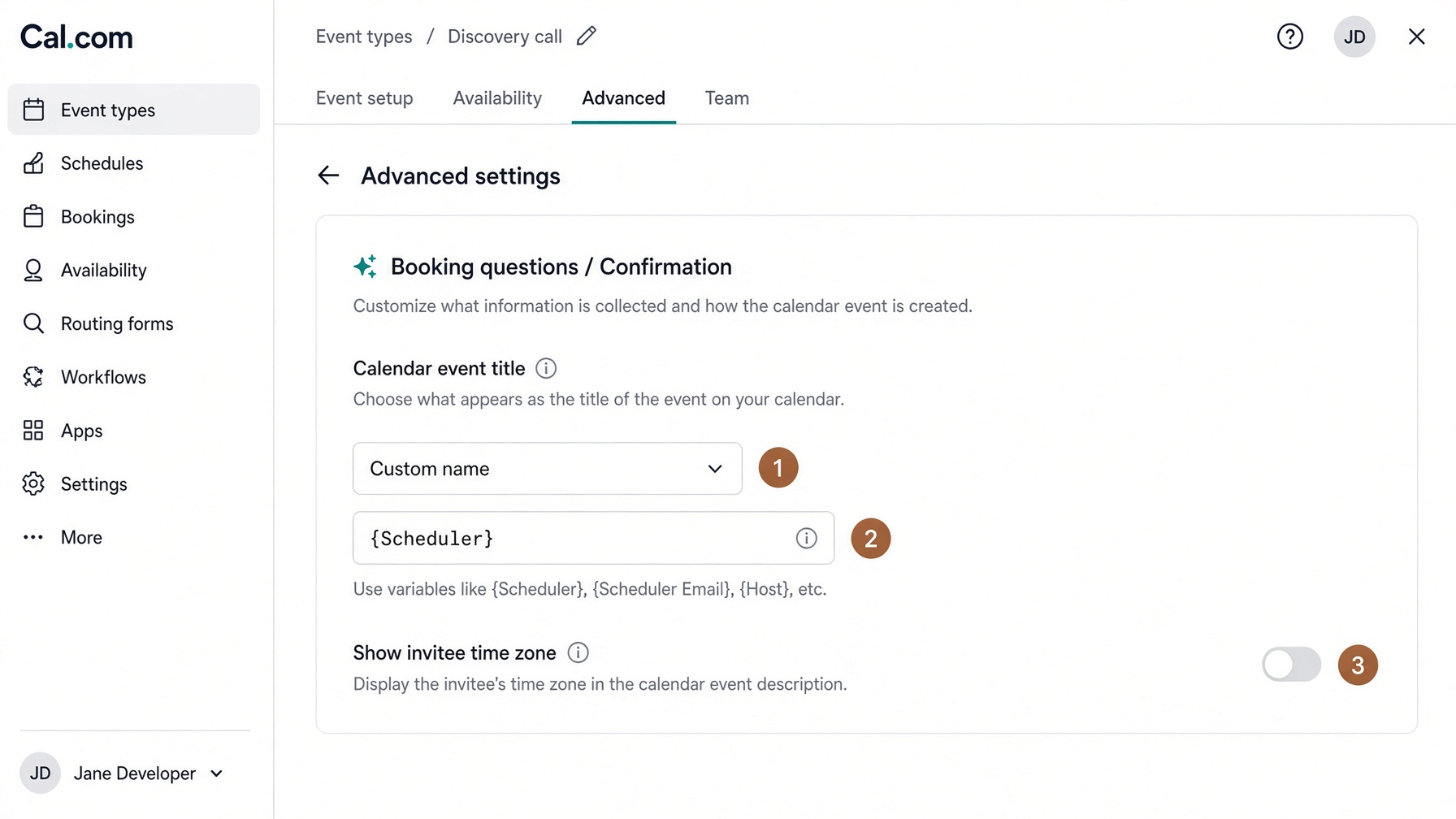
    Confirmation → Custom name. Paste {Scheduler}. Turn off “show invitee time zone.” Without this, Google shows “Iris job between you and you.”

    Custom name{Scheduler}

    Custom name set to {Scheduler}. Invitee time zone off.
Open the shop desk